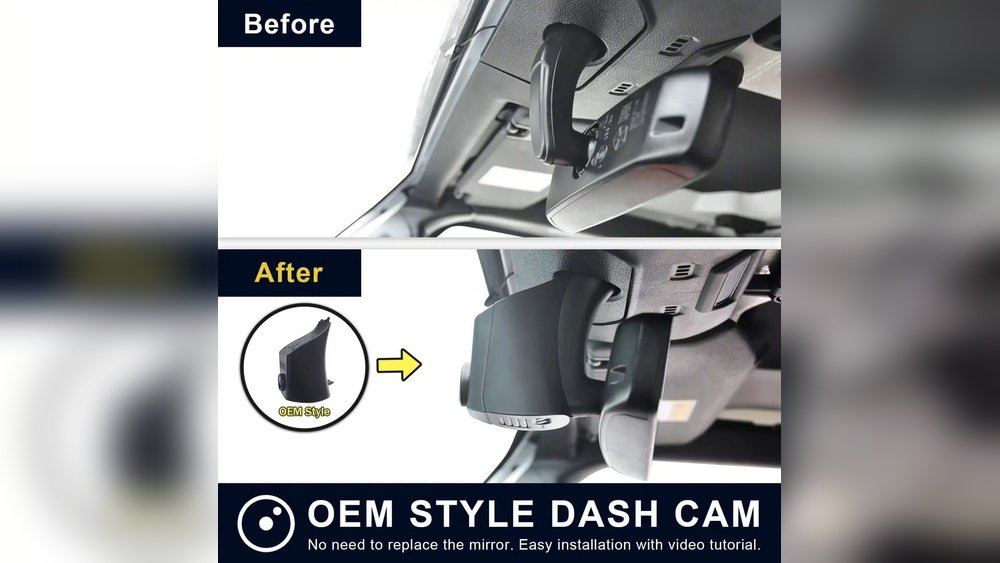
If you own a Jeep Wrangler, you know how important it is to capture every adventure on the road. Installing a dash cam can protect you from unexpected events, record stunning drives, and give you peace of mind.
But how do you get started? This guide will walk you through the simple steps to install a dash cam in your Jeep Wrangler quickly and without hassle. By the end, you’ll have your camera set up and ready to record every moment.
Keep reading to learn how to make your Jeep safer and smarter with a dash cam.

Credit: www.reddit.com
Choosing The Right Dash Cam
Choosing the right dash cam for your Jeep Wrangler is important. A good dash cam records clear videos and fits your car well. It helps keep you safe and protects your vehicle. There are many models to choose from. Knowing what features matter will make your choice easier.
Key Features To Consider
Video quality is a top priority. Look for at least 1080p resolution. This gives clear details in the footage. Night vision is helpful for driving in the dark. A wide-angle lens captures more of the road and surroundings.
Storage capacity matters. A dash cam with a large memory or support for a microSD card is best. Loop recording ensures continuous recording by deleting old files. A G-sensor detects impacts and saves important videos automatically.
Easy installation is useful for Jeep Wrangler owners. Choose a model with simple mounting options. Some dash cams connect to your phone for easy control and playback. Consider models with GPS for location tracking.
Best Models For Jeep Wrangler
Look for dash cams made for off-road and rugged vehicles. These models often have strong mounts and weather-resistant features. Some popular choices include brands like Garmin, VIOFO, and Rexing. They offer clear video and solid build quality.
Dual-lens dash cams are good for Jeep Wranglers. They record both front and rear views at the same time. This gives full coverage and better protection. Make sure the model fits your Jeep’s windshield and rear window easily.
Choose a dash cam with user-friendly controls. This saves time and hassle during installation. A compact design keeps the dash cam discreet and less distracting while driving.
Tools And Materials Needed
Installing a dash cam in your Jeep Wrangler requires the right tools and materials. Having everything ready makes the process easier and faster. This section lists the essential tools and extra accessories needed for a smooth installation.
Essential Installation Tools
- Screwdriver set – for removing panels and mounting the dash cam
- Trim removal tools – to safely pry off interior panels without damage
- Wire cutters and strippers – to handle wiring cleanly and safely
- Electrical tape – for securing wires and connections
- Fuse tap or add-a-circuit kit – to connect power without cutting factory wires
- Multimeter – to check voltage and ensure correct wiring
- Zip ties – to bundle and organize cables neatly
- Measuring tape – to plan the best cable routing path
Additional Accessories
- Dash cam mount – adhesive or suction cup type, suitable for your Jeep’s windshield
- Extra adhesive pads – in case the original mount does not stick well
- USB or hardwire power cable – depending on your power source choice
- Cable clips or conduits – to keep wires hidden and protected
- Memory card – a microSD card compatible with your dash cam model
- Owner’s manual – for specific installation steps and wiring diagrams
Preparing Your Jeep Wrangler
Preparing your Jeep Wrangler for dash cam installation is an important step. It ensures the device fits well and works properly. Taking time to prepare helps avoid problems later. Start with choosing the best place to mount your dash cam. Then clean that area carefully. This makes sure the dash cam sticks firmly and records clearly.
Selecting The Mounting Location
Choose a spot on the windshield that does not block your view. The area behind the rearview mirror is often ideal. It keeps the dash cam out of sight but still captures the road well. Make sure the location allows easy access to power cables. Also, check that the dash cam lens can see the full road ahead. Avoid places with glare or direct sunlight. This helps the camera record clear videos in all light conditions.
Cleaning The Installation Area
Use a soft cloth and mild cleaner to wipe the chosen spot. Remove all dust, dirt, and grease. A clean surface helps the mounting tape or suction cup stick better. Avoid using harsh chemicals that can damage the windshield. Let the area dry completely before attaching the dash cam. This step prevents the device from falling off while driving.

Credit: www.youtube.com
Installing The Dash Cam
Installing a dash cam in your Jeep Wrangler is a smart step for safety and security. The process is simple and can be done with basic tools. This guide helps you set up your dash cam quickly and correctly.
Mounting The Camera
Choose a spot on the windshield that does not block your view. The ideal location is behind the rearview mirror. Clean the area with an alcohol wipe to remove dust and grease. Peel off the adhesive on the dash cam mount. Press the mount firmly on the windshield for 30 seconds. Make sure the camera lens points straight ahead. Adjust the angle for the best road view.
Routing The Power Cable
Start by plugging the power cable into the dash cam. Hide the cable along the windshield edge to keep it neat. Use the rubber trim to tuck the cable in place. Run the cable down the A-pillar toward the fuse box or power outlet. Avoid blocking airbags or moving parts. Connect the cable to your Jeep’s 12V power socket or fuse box adapter. Secure any loose wires with clips or zip ties. Test the dash cam to ensure it powers on correctly.
Connecting To Power Source
Connecting your dash cam to a power source is key to keeping it running smoothly. The power connection lets the camera record while you drive or park. There are two common ways to connect your dash cam to power in a Jeep Wrangler.
You can use the cigarette lighter adapter for a quick setup. Or, you can hardwire the dash cam directly to the fuse box for a cleaner look. Each method has its benefits. Choose the one that fits your needs best.
Using The Cigarette Lighter Adapter
The cigarette lighter adapter is the easiest way to power your dash cam. Plug the adapter into the Jeep’s 12V socket. The dash cam will get power as soon as the ignition is on.
This method requires no tools and no special skills. It lets you quickly remove the dash cam anytime. Make sure the cable is tucked neatly to avoid blocking your view or controls.
Hardwiring To The Fuse Box
Hardwiring connects your dash cam directly to the Jeep’s fuse box. This method hides the wires for a cleaner look. It also lets the dash cam run even when the engine is off, if set up correctly.
You will need a hardwire kit and some basic tools. Find a fuse slot that turns on with the ignition. Use the kit to tap into that fuse safely. Connect the ground wire to the vehicle’s metal frame.
This setup keeps your dash cam powered without using the cigarette lighter socket. It looks neat and professional. Make sure to follow the kit instructions carefully to avoid electrical issues.
Configuring The Dash Cam
After installing the dash cam in your Jeep Wrangler, the next step is configuring it. Proper setup ensures the dash cam works correctly and records important details. This process involves setting the date and time accurately and adjusting video settings for clear footage. These simple steps help capture reliable evidence if needed.
Setting Date And Time
Start by turning on the dash cam. Access the menu using the buttons on the device. Find the “Date and Time” option. Set the current date and time carefully. This step is important for accurate video timestamps. Use the arrow keys to adjust the numbers. Confirm the settings by pressing the “OK” or “Enter” button. Check the time zone and change it if required. A correct timestamp helps when reviewing footage later.
Adjusting Video Settings
Next, navigate to the video settings menu. Choose the resolution for recording videos. Higher resolution means better quality but uses more storage. Select between 1080p or 720p based on your need. Set the loop recording time to control video length segments. Common choices are 1, 3, or 5 minutes. Enable or disable the G-sensor to detect sudden impacts. Adjust brightness and exposure if your dash cam allows it. These settings improve video clarity in different light conditions.
Testing And Final Adjustments
After installing the dash cam in your Jeep Wrangler, testing and making final adjustments is crucial. This step ensures your device works correctly and captures clear footage. Take your time to verify the camera angle and check the video quality. These small checks can prevent future issues and help you get the best results from your dash cam.
Verifying Camera Angle
Start by turning on the dash cam and viewing the live feed. Adjust the camera to cover the road ahead clearly. Avoid pointing too high or too low. The camera should capture the hood of your Jeep and the road beyond. This angle helps record important details like license plates and road signs.
Make small movements to find the perfect view. Tighten the mount once satisfied. This keeps the camera stable during your drive. Double-check the angle after driving a short distance. Vibrations can sometimes shift the camera, so secure it well.
Checking Video Quality
Play back a test recording to check the video quality. Look for clear images and smooth motion. Make sure the footage is not blurry or too dark. Good video quality is key for identifying details in case of incidents.
Adjust the camera settings if needed. Many dash cams allow you to change resolution, brightness, and contrast. Choose settings that suit your driving environment. Repeat the test after changes to ensure the best quality.
Maintenance Tips
Keeping your dash cam in top shape is key for clear footage and long life. Simple maintenance helps avoid problems and saves money. Follow these easy tips to keep your dash cam running smoothly in your Jeep Wrangler.
Regular Cleaning
Dust and dirt can blur the camera lens. Use a soft cloth to clean it weekly. Avoid harsh chemicals that can damage the lens. Clean the screen gently to keep controls visible. Check the mounting area for dirt buildup. A clean dash cam captures clear videos every time.
Firmware Updates
Firmware updates improve dash cam performance. They fix bugs and add new features. Check the manufacturer’s website or app for updates monthly. Follow instructions carefully to install updates. Updated firmware keeps your dash cam reliable and secure. Don’t skip this step to avoid future issues.

Credit: www.youtube.com
Frequently Asked Questions
How Do I Choose The Best Dash Cam For Jeep Wrangler?
Choose a dash cam with wide-angle lens and 1080p or higher resolution. Ensure it has night vision and loop recording features. Compatibility with Jeep Wrangler’s windshield size is important for proper mounting.
Where Is The Ideal Location To Install A Dash Cam In Jeep?
The best spot is behind the rearview mirror on the windshield. This location offers a clear, unobstructed view while staying discreet and out of the driver’s line of sight.
Can I Install A Dash Cam Without Professional Help?
Yes, most dash cams come with simple plug-and-play kits. Use adhesive mounts and route cables along trim panels to hide wires neatly. Follow the user manual for safe and correct installation.
How Do I Power My Dash Cam In A Jeep Wrangler?
Use the 12V cigarette lighter socket or hardwire to the fuse box. Hardwiring offers a cleaner look and enables parking mode. Always use appropriate fuse taps and check Jeep Wrangler’s electrical system.
Conclusion
Installing a dash cam in your Jeep Wrangler is simple and useful. It helps record your drives and keeps you safer. Follow the steps carefully for the best results. Choose a good spot for clear views. Secure the wires neatly to avoid distractions.
Test the camera before hitting the road. A dash cam gives you peace of mind every trip. Protect your Jeep and yourself with this easy upgrade. Start today and enjoy safer journeys ahead.