
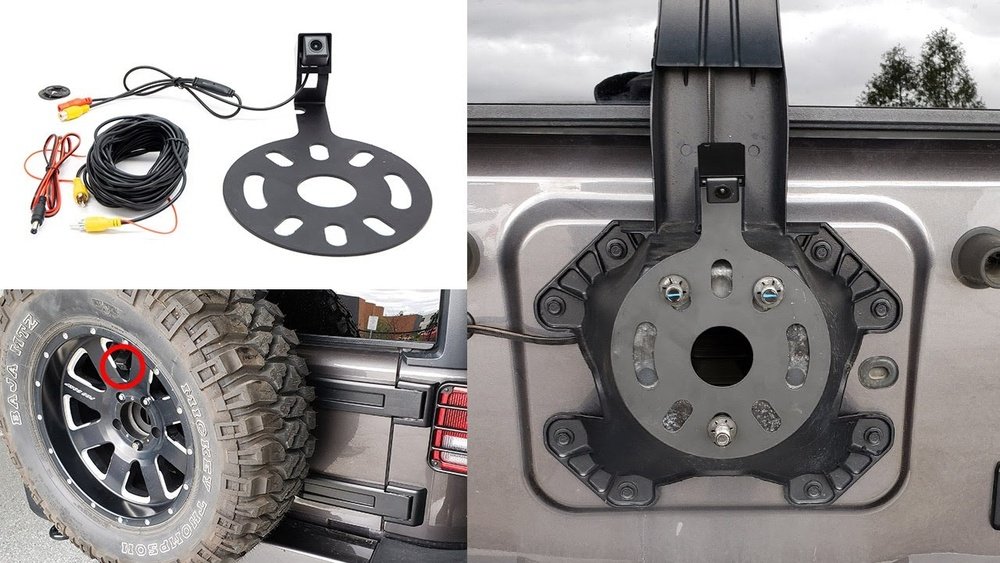
If you own a Jeep Wrangler, you know how important it is to have full visibility when backing up. Installing a backup camera can make parking safer and give you peace of mind every time you reverse.
But maybe you’re worried it’s too complicated or that you’ll need a professional. The good news? You can install a backup camera yourself, step by step, even if you’re not a tech expert. In this guide, you’ll discover simple instructions that save you time and money, so your Jeep is ready for safer drives in no time.
Keep reading to learn how to do it right and enjoy the benefits immediately.
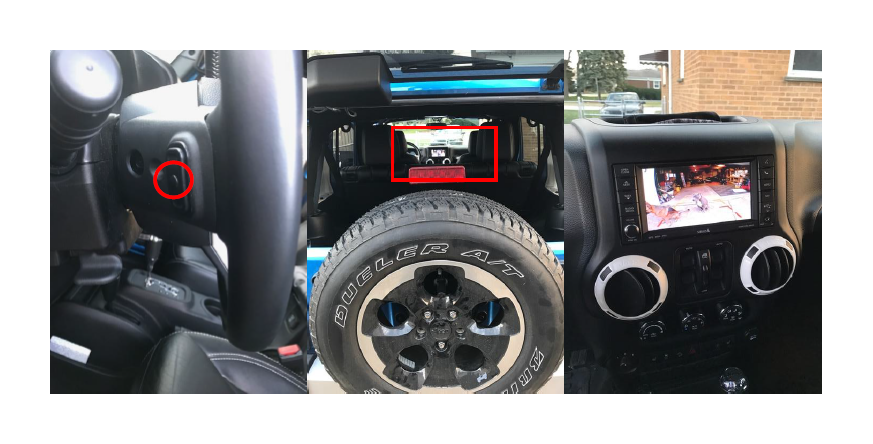
Credit: www.extremeterrain.com
Choosing The Right Backup Camera
Choosing the right backup camera for your Jeep Wrangler is key. It helps you park safely and avoid accidents. Picking a camera that fits your needs and your vehicle is important. This section will guide you through the main points to consider before buying.
Types Of Backup Cameras
Backup cameras come in several types. There are wired cameras that connect directly to your car’s system. Wireless cameras send signals without cables. Some cameras mount on the license plate. Others fit inside the bumper or rearview mirror. Each type has pros and cons. Choose the one that suits your Jeep’s style and your budget.
Compatibility With Jeep Wrangler
Not all cameras work with every car. Your Jeep Wrangler has specific size and electrical needs. Check if the camera matches your Jeep model year. Some cameras need extra adapters or tools. Make sure the camera fits well and connects easily. This avoids installation problems and extra costs.
Features To Consider
Look for clear video quality. Night vision is useful for dark areas. A wide viewing angle helps see more behind the Jeep. Some cameras offer parking guides or alerts. Waterproof and dustproof cameras last longer outdoors. Choose features that improve safety and convenience for your daily drives.
Tools And Materials Needed
Installing a backup camera on your Jeep Wrangler needs the right tools and materials. Having everything ready makes the process faster and easier. This section lists all the essential tools and extra supplies you will need.
Essential Tools
- Screwdriver set (Phillips and flathead)
- Wire stripper and cutter
- Drill with drill bits
- Socket wrench set
- Electrical tape
- Multimeter for checking voltage
- Plastic pry tools for removing panels
Additional Supplies
- Backup camera kit designed for Jeep Wrangler
- Extension wiring harness (if needed)
- Zip ties for cable management
- Silicone sealant to protect connections
- Fuse tap for safe power connection
- Owner’s manual or installation guide
Preparing Your Jeep Wrangler
Preparing your Jeep Wrangler is the first step to install a backup camera. Taking time to set up your vehicle correctly helps the installation go smoothly. It also ensures safety during the process.
Locating The Installation Area
Find a good spot on the rear of your Jeep for the camera. Most Jeep Wranglers have a flat area near the license plate. This spot gives a clear view behind the vehicle. Clean the area well to remove dirt and grease. A clean surface helps the camera stick firmly and work well.
Disconnecting The Battery
Always disconnect the Jeep’s battery before starting the installation. This step prevents any electrical shorts or shocks. Use a wrench to remove the negative battery cable first. Keep the cable away from the battery terminal. This small step protects you and your Jeep’s electrical system.
Installing The Backup Camera
Installing the backup camera on your Jeep Wrangler helps you see behind the vehicle. It improves safety and makes parking easier. The process involves two main steps: mounting the camera and routing the wiring. Both steps are simple if you follow instructions carefully.
Mounting The Camera
Start by choosing the right spot for the camera. Most people place it near the license plate or rear bumper. Clean the area well to ensure the camera sticks properly.
Use screws or adhesive to attach the camera. Make sure it is straight and points down slightly. This angle gives a clear view behind your Jeep. Tighten all screws so the camera stays secure during driving.
Routing The Wiring
Next, route the wiring from the camera to the inside of your Jeep. Find a path through the tailgate or rear panel. Avoid sharp edges that may cut the wires.
Use zip ties to keep the wires neat and secure. Connect the wiring to the backup light power source. This connection allows the camera to turn on automatically when reversing.
Finally, run the wiring to the dashboard or head unit. Test the camera to ensure it works correctly before finishing the installation.
Connecting The Camera To Power And Display
Connecting the backup camera to power and display is a key step in the installation process. This step makes sure the camera works and shows the video on the screen. It involves finding the right power source and linking the camera to your Jeep Wrangler’s display.
Power Source Options
The camera needs power to turn on and record. You can use the reverse light wiring as a power source. This wiring supplies power only when the vehicle is in reverse gear. It helps the camera activate automatically at the right time.
Another option is to connect the camera to a fuse box using a fuse tap. This method provides a steady power supply. Use a fuse tap designed for automotive use to avoid electrical problems. Always disconnect the battery before working on wiring for safety.
Linking To The Display Screen
Most Jeep Wranglers have a factory screen compatible with backup cameras. The camera connects to this screen through a video input cable. Use the RCA video cable provided with the camera for this connection.
Some models need an adapter to link the camera to the screen. Check your Jeep’s manual or the camera instructions. Secure all connections tightly to avoid loose signals and poor video quality. Test the camera by shifting into reverse and watching the display.
Testing The Backup Camera
Testing the backup camera is a key step after installation. It ensures the camera works well and shows a clear view. This step helps avoid surprises when using the camera in real situations. Check every detail to get the best results from your Jeep Wrangler’s backup camera.
Checking Image Quality
Turn on the camera and look at the screen. The image should be sharp and clear. Make sure there is no blurring or dark spots. Test the camera in different lighting, such as daylight and low light. The picture must stay visible in all conditions. Check for any flickering or lag on the screen. A good image helps you park safely and avoid obstacles.
Adjusting Camera Angle
Look at the view on the screen and see if it shows the right area. The camera should cover the space behind your Jeep clearly. Adjust the angle by moving the camera up, down, left, or right. Small changes can make a big difference in visibility. Aim to see the ground and objects behind without blind spots. Tighten the camera in place after adjusting to keep it steady.
Troubleshooting Common Issues
Troubleshooting common issues can help fix your Jeep Wrangler backup camera fast. Problems like no power, poor image, or interference are common. Knowing simple steps saves time and effort. Check each part carefully for best results.
No Power Or Signal
First, check the camera’s power source. Make sure the fuse is not blown. Inspect wiring for loose or broken connections. Test the backup camera with a multimeter. Confirm the monitor is turned on and set to the right input. Replace damaged wires or connectors quickly.
Poor Image Quality
Clean the camera lens gently with a soft cloth. Dirt or water drops blur the view. Check the camera angle and adjust it properly. Look for damaged camera housing or lens scratches. Low light conditions can reduce image quality. Consider installing extra lights behind your Jeep.
Interference And Connectivity
Wireless cameras may face signal interference. Move other wireless devices away from the camera. Check for metal objects blocking the signal path. For wired cameras, ensure cables are not pinched or bent. Use shielded cables to reduce noise. Reset the camera and monitor to clear glitches.
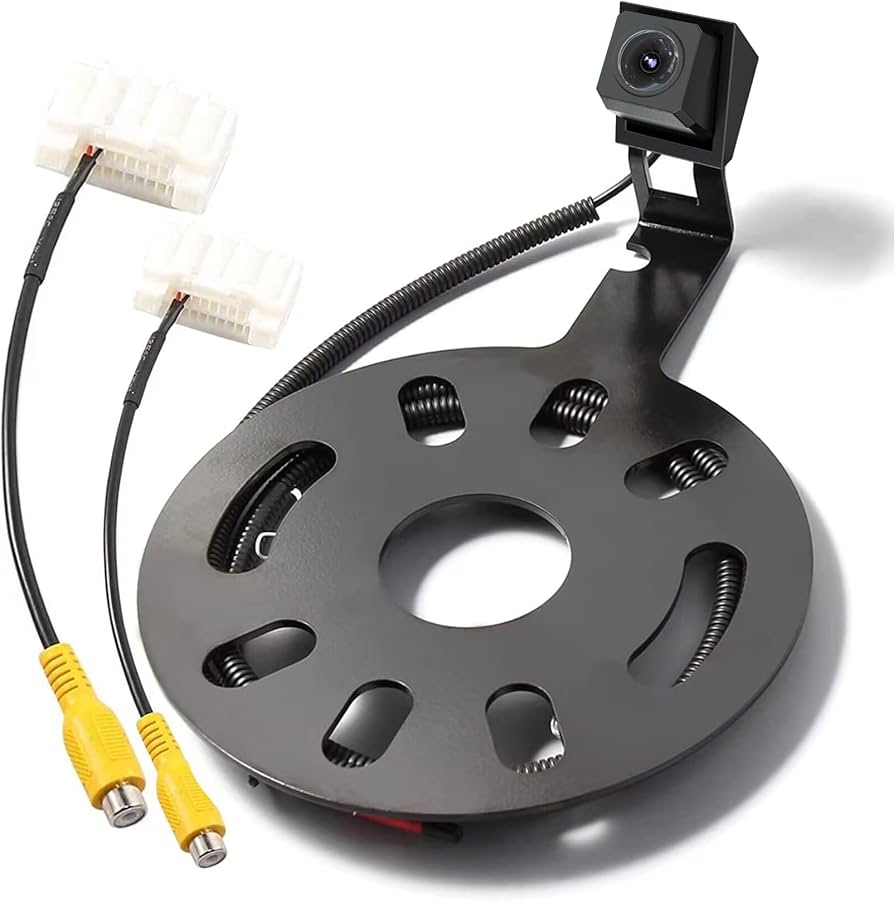
Credit: www.amazon.com
Maintenance Tips For Backup Cameras
Proper care of your Jeep Wrangler’s backup camera keeps it working well for years. Dirt, weather, and wear can affect the camera’s view. Simple maintenance helps avoid blurry or blocked images.
Regular checks and cleaning improve safety while reversing. Protecting the camera also saves money on repairs. Here are some easy tips to maintain your backup camera.
Cleaning The Lens
Use a soft cloth to wipe the lens gently. Avoid rough materials that may scratch the glass. Mild soap and water work well for stubborn dirt. Dry the lens completely after cleaning to prevent spots.
Clean the lens often, especially after driving on dusty roads. A clear lens ensures a sharp, reliable image every time you reverse.
Protecting Against Weather
Backup cameras face rain, snow, and heat. Use a waterproof cover if your camera is exposed. Check seals and mounts regularly to keep water out. Remove snow or ice quickly to avoid lens damage.
Park your Jeep in a shaded area to reduce sun damage. Taking these steps keeps the camera safe and functional in all weather conditions.

Credit: www.youtube.com
Frequently Asked Questions
How Do I Install A Backup Camera On A Jeep Wrangler?
Start by selecting a compatible camera model. Mount the camera near the license plate. Connect the wiring to the reverse light power source. Route the video cable to the dashboard display. Test the camera to ensure proper alignment and functionality.
What Tools Are Needed To Install A Jeep Backup Camera?
You will need a screwdriver, wire stripper, electrical tape, and a drill. A multimeter helps identify power wires. Cable ties assist in securing wires neatly. These tools make installation easier and ensure a professional finish.
Can I Install A Backup Camera Without Professional Help?
Yes, installation is possible with basic automotive skills. Follow detailed instructions and safety precautions. Use online tutorials or the camera’s manual for guidance. Take your time to avoid damaging vehicle wiring or parts.
How Much Does A Jeep Wrangler Backup Camera Installation Cost?
Costs vary based on camera type and labor. DIY installation only costs the camera price, usually $50-$150. Professional installation ranges from $100 to $300. Prices depend on complexity and location.
Conclusion
Installing a backup camera on your Jeep Wrangler improves safety and convenience. The steps are simple to follow with basic tools. Take your time to connect the wires carefully and test the camera before finalizing. A clear view behind your vehicle helps avoid accidents while parking or reversing.
Regularly clean the camera lens for the best image quality. Enjoy the added confidence and ease every time you drive your Jeep. This upgrade makes your off-road adventures and daily drives safer and more enjoyable.


