

Are you ready to take your Jeep adventures to the next level? Using an offroad GPS app can make your trips safer, more exciting, and stress-free.
But how do you get the most out of it? This guide will show you simple, practical tips to use your offroad GPS app like a pro. Whether you’re a beginner or an experienced driver, these easy steps will help you navigate tough trails, avoid getting lost, and discover hidden paths.
Keep reading, and unlock the full power of your Jeep’s offroad GPS!

Credit: stingerdrive.com
Choosing The Right Offroad Gps App
Choosing the right offroad GPS app is essential for a smooth Jeep adventure. The app guides you through rough trails and helps you avoid getting lost. It also tracks your route and shares your location with friends. Picking an app that fits your needs makes your offroading safer and more fun.
Key Features To Look For
Look for apps with offline maps. This helps when there is no cell signal. Detailed trail maps show terrain and landmarks. Real-time tracking lets you monitor your route easily. Waypoint marking helps you save important spots. Check if the app offers route planning and sharing. Battery-saving modes are useful for long trips.
Popular Apps For Jeep Enthusiasts
Gaia GPS is popular for its detailed maps and offline use. AllTrails offers many trail options and user reviews. OnX Offroad provides topographic maps and route planning. TrailLink has a large database of trails with photos. Each app has unique features, so choose based on your needs.
Compatibility With Devices
Check if the app works on your phone or tablet. Most apps support Android and iOS devices. Some offer desktop versions for easier route planning. Consider apps that sync data across devices. Ensure the app runs well without using too much battery. Device compatibility affects your overall experience.

Credit: www.samlemanpeoria.com
Setting Up Your Gps App
Setting up your offroad GPS app on your Jeep is the first step to safe and fun adventures. A proper setup helps you navigate trails without worry. This guide breaks down the setup process into easy steps. Follow these simple instructions to get your GPS app ready for offroad use.
Downloading And Installing
Start by finding the right GPS app for offroad driving. Visit your phone’s app store. Search for a reliable offroad GPS app. Check the app ratings and reviews before downloading. Tap the download button and wait for the app to install. Make sure your phone has enough space for the app. After installation, open the app to begin setup.
Creating An Account
Most GPS apps need an account to save your trails and settings. Open the app and select “Create Account” or “Sign Up.” Enter your email address and create a strong password. Some apps ask for basic info like your name. Confirm your email through the link sent to your inbox. Logging in lets you access your saved routes anytime.
Customizing Settings For Offroad Use
Adjust your app settings to match offroad needs. Turn on features like trail maps and offline mode. Set your preferred units, such as miles or kilometers. Enable GPS tracking for accurate location updates. Customize alerts for hazards or steep slopes. These changes make the app more useful on rough terrain.
Planning Your Offroad Route
Planning your offroad route is a key step before driving your Jeep into rough terrain. It helps you stay safe and enjoy the adventure without problems. Careful planning saves time and reduces risks on unknown trails. It also helps you use your offroad GPS app effectively.
Selecting Trails And Destinations
Choose trails that match your Jeep’s capability and your skill level. Check trail difficulty, length, and type of terrain. Pick destinations that offer good views or interesting stops. Use the GPS app’s trail database to find popular and safe paths. Avoid trails with poor reviews or warnings. Planning your route keeps the drive fun and stress-free.
Marking Waypoints And Checkpoints
Mark key spots on your GPS app before you start. Waypoints can include rest areas, water sources, or scenic points. Checkpoints help you track your progress and stay on route. Marking helps if you lose signal or need to backtrack. It also guides other drivers if you travel in a group. Use simple names for easy recognition.
Using Offline Maps For Remote Areas
Download offline maps for areas without cell service. Offline maps ensure your GPS works even in deep wilderness. They show trails, landmarks, and hazards without internet. Keep your maps updated before the trip. This prevents getting lost when signals drop. Offline maps are a must for safe offroading in remote spots.
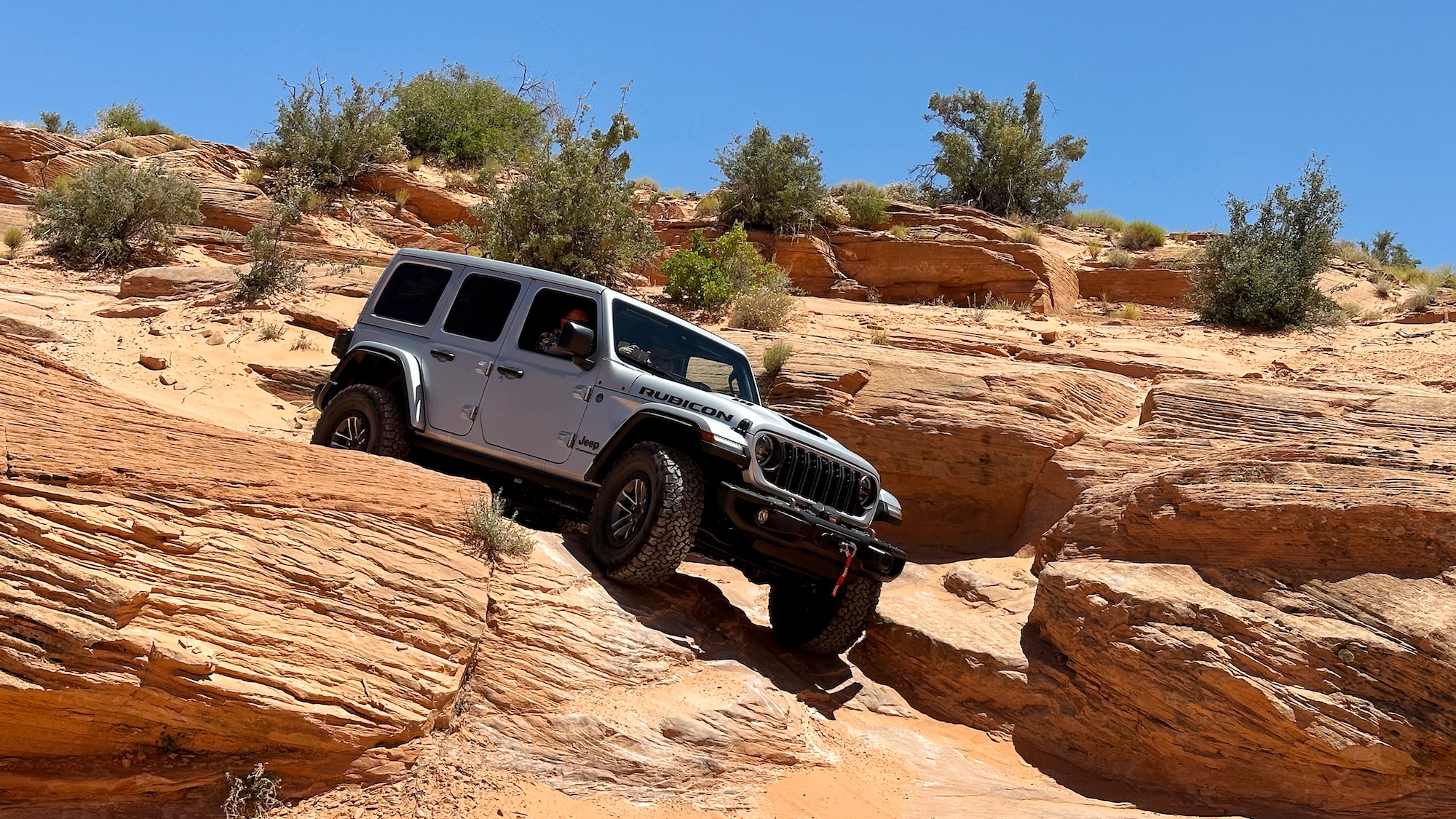
Credit: www.popsci.com
Navigating With Your Gps App
Navigating with your offroad GPS app on a Jeep makes your adventure safer and more fun. The app shows your path clearly, helping you avoid getting lost. It works even in tough places where roads are not clear. Using the GPS app well can save time and help you find new trails easily.
Real-time Tracking And Updates
The GPS app tracks your Jeep’s location in real-time. This means you see exactly where you are on the map. The app updates your position as you move. It also shows nearby points of interest, like water or rest spots. Real-time tracking helps you stay on the planned route without guesswork.
Handling Signal Loss And Gps Accuracy
Signal loss can happen in deep forests or mountains. The GPS app may lose connection but still works offline. It uses stored maps and your last known position. The app tries to keep your location as accurate as possible. Check your position often to avoid getting off track.
Using Voice Commands And Alerts
The GPS app can listen to your voice commands. This keeps your hands free while driving. You can ask the app to show routes or find nearby places. Alerts warn you about sharp turns or obstacles ahead. Voice commands and alerts help you focus on the trail and drive safely.
Safety Tips While Using Gps Offroad
Using a GPS app offroad in your Jeep can make your adventure easier and safer. Still, relying only on the app is risky. Technology can fail. Roads might not show up correctly. Safety steps keep you prepared and protect you from trouble.
Backup Navigation Methods
Always carry a paper map of your area. It does not need batteries or a signal. A compass is also a good tool. Learn how to use it before your trip. These simple tools can help you find the way if your GPS stops working.
Sharing Your Location With Others
Tell a friend or family where you plan to go. Share your live location using your phone or GPS app. This helps others know where you are in case of emergency. Set a check-in time to update them about your progress.
Monitoring Battery And Device Health
Check your device’s battery before and during your trip. Carry a power bank or extra batteries. Keep your phone or GPS in a cool, dry place to avoid overheating. Turn off unnecessary apps to save battery life. A dead device means no navigation help.
Enhancing Your Jeep Adventure
Enhancing your Jeep adventure means making every trip safer and more fun. Using an offroad GPS app helps you explore new trails with confidence. It guides you through tough paths and keeps you on track. You can connect your app with your Jeep’s accessories for better control and information.
Tracking your route allows you to save memories and learn from each journey. Sharing your experience with other Jeep lovers brings a sense of community. Joining forums and groups helps you find new routes and tips from others who share your passion.
Integrating Gps With Jeep Accessories
Link your offroad GPS app to your Jeep’s accessories like dash cams and sensors. This integration shows real-time data on your app screen. You get alerts about obstacles and vehicle status. It helps you drive safer on difficult trails.
Some apps work with Jeep’s built-in systems to provide detailed maps. You can control settings without stopping. This saves time and keeps your focus on the road.
Recording And Sharing Your Journey
Use the GPS app to record your entire route. Save your speed, elevation, and path data automatically. These records help you review your trips later. You can see where you did well and where to improve.
Share your routes and photos with friends or online groups. It inspires others and gets feedback. Sharing also helps you connect with Jeep enthusiasts worldwide.
Joining Offroad Communities And Forums
Join online communities and forums dedicated to offroad Jeep adventures. These groups offer advice, trail recommendations, and support. You can ask questions and share your experiences.
Being part of a community motivates you to try new trails. You learn about local events and meet fellow Jeep fans. This connection makes your offroad trips more exciting and enjoyable.
Frequently Asked Questions
How Do I Install An Offroad Gps App On My Jeep?
To install, download the offroad GPS app from your device’s app store. Ensure your Jeep’s system supports the app. Follow on-screen instructions for setup and permissions before use.
Can Offroad Gps Apps Work Without Internet Connectivity?
Yes, most offroad GPS apps provide offline maps. Download maps in advance to use them without internet in remote areas.
What Features Should I Look For In An Offroad Gps App?
Look for offline maps, trail tracking, route planning, and waypoints. Also, check for real-time location sharing and compatibility with Jeep systems.
How Accurate Are Offroad Gps Apps For Trail Navigation?
Accuracy depends on GPS signal strength and app quality. High-quality apps offer precise tracking, but always carry a backup navigation method.
Conclusion
Using an offroad GPS app makes Jeep trips safer and more fun. It helps you find paths and avoid getting lost. Always keep the app updated and check your phone’s battery. Practice using the app before heading out on tough trails.
This way, you feel confident and ready for adventure. Remember, safety comes first when exploring offroad. Enjoy the journey and trust your GPS to guide the way.


