
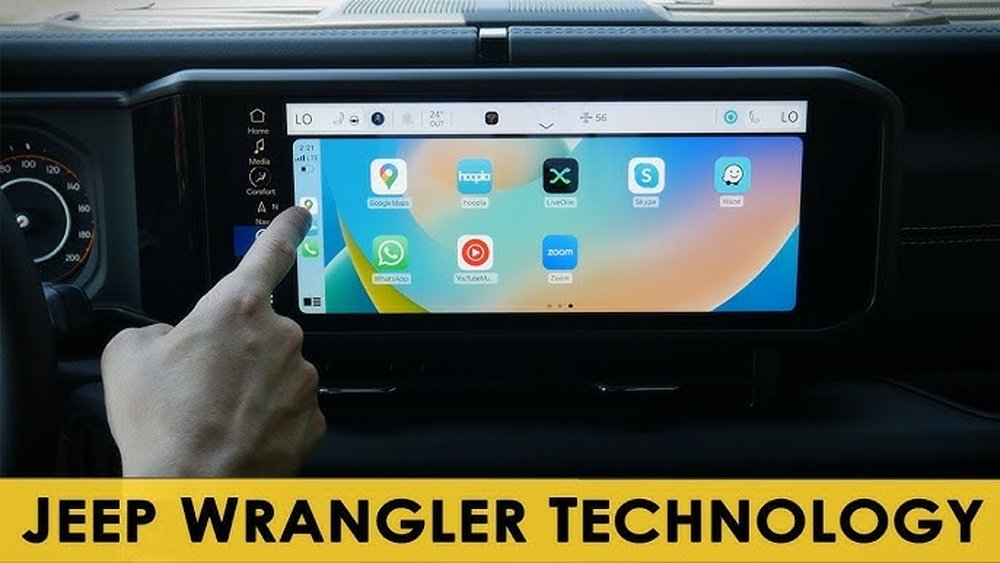
If you own an older Jeep Wrangler, you might feel like you’re missing out on the modern tech that makes driving easier and safer. Imagine having your favorite apps, music, and navigation right on your dashboard without buying a brand-new car.
Adding Android Auto to your old Jeep Wrangler is easier than you think, and it can transform your driving experience instantly. In this guide, you’ll discover simple steps to upgrade your ride with Android Auto, making every trip more enjoyable and connected.
Keep reading to find out how you can bring your Jeep into the digital age without breaking the bank.
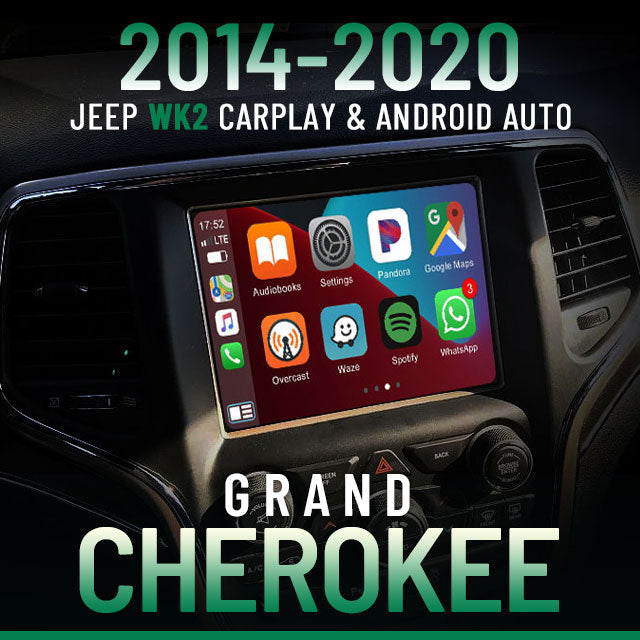
Credit: unavi-usa.com
Check Compatibility
Before installing Android Auto in your old Jeep Wrangler, check if your vehicle can support it. Compatibility ensures smooth setup and use. Knowing your Jeep’s details and system helps avoid issues later. This step saves time and effort during installation.
Identify Jeep Wrangler Model Year
Start by finding your Jeep Wrangler’s model year. The year affects which parts and systems your Jeep has. Older models may need different adapters or upgrades. Check your vehicle registration or look inside the driver’s door frame for the year.
Review Existing Infotainment System
Look at the system already in your Jeep. Is it a basic radio or a touchscreen display? Some old models have simple radios without advanced features. Knowing your system type helps choose the right Android Auto upgrade. Take note of brand and model numbers if possible.
Confirm Android Auto Support
Not all infotainment systems support Android Auto. Verify if your current system is compatible. Check the user manual or online for details. If it does not support Android Auto, consider replacing it with a compatible aftermarket unit.
Choose The Right Head Unit
Choosing the right head unit is the first step to add Android Auto to your old Jeep Wrangler. The head unit is the main device that controls your car’s audio and apps. Picking a good one makes sure you get the best experience. It should fit your Jeep and meet your needs.
Compare Popular Android Auto Units
Many brands offer Android Auto head units. Pioneer, Kenwood, and Sony are well-known choices. Each brand has models with different features. Check reviews and ratings to find reliable units. Look for easy installation and good sound quality. Some units offer extra functions like navigation or voice control.
Consider Screen Size And Features
Screen size affects how easy it is to see maps and controls. Most head units range from 6 to 9 inches. Bigger screens show more information but may cost more. Touchscreen quality matters for smooth use. Features like Bluetooth, USB ports, and radio are useful. Choose a unit with clear display and simple controls.
Set A Budget
Head units vary in price from around $150 to over $600. Decide how much you want to spend. More expensive models usually have more features. Find a balance between cost and what you need. Remember to include installation costs if you hire a professional. A good head unit adds value to your Jeep without overspending.
Gather Necessary Tools
Gathering the right tools is the first step to add Android Auto to your old Jeep Wrangler. Having everything ready makes the installation smooth and quick. Missing tools can cause delays and frustration. This guide lists the tools you need for a basic setup and some extras to improve the experience.
List Basic Installation Tools
- Phillips head screwdriver
- Flathead screwdriver
- Panel removal tool
- Wire stripper and cutter
- Electrical tape
- Socket wrench set
- Multimeter (for checking connections)
- Zip ties
- Android Auto compatible head unit
Optional Accessories To Enhance Setup
- Backup camera for safer reversing
- USB extension cables for easier connection
- Bluetooth microphone for better voice commands
- Steering wheel control adapter
- Dash kit to fit the new head unit perfectly
- Noise filter to reduce electrical interference
Credit: autos.yahoo.com
Remove Old Stereo
Removing the old stereo is the first step to add Android Auto to your Jeep Wrangler. This step prepares your vehicle for the new system. It involves careful handling to avoid damage.
Follow these simple steps to safely remove the old stereo and make space for your new head unit.
Disconnect Battery For Safety
Start by disconnecting the battery. This prevents electrical shorts or shocks. Use a wrench to remove the negative terminal first. Then, remove the positive terminal. Wait a few minutes before working on the stereo.
Remove Dash Panels
Next, remove the dash panels around the stereo. Use a plastic trim tool to avoid scratches. Gently pry the panels off one by one. Keep all screws and clips in a safe place. This exposes the stereo and wiring behind it.
Unplug Old Head Unit
Now, unscrew the old head unit from the dash. Carefully pull it out without damaging wires. Locate the wiring harness and antenna plug. Unplug both by pressing the release tabs. Set the old stereo aside safely.
Install New Android Auto Head Unit
Installing a new Android Auto head unit in your old Jeep Wrangler brings modern tech to your classic ride. This upgrade lets you use maps, music, and voice commands safely while driving. The process needs care and some basic tools.
Start by connecting the wiring harness to link the new unit with your Jeep’s electrical system. Then, mount the head unit securely to avoid movement during drives. Finally, reassemble the dash panels to restore your Jeep’s original look and finish the installation.
Connect Wiring Harness
First, disconnect the Jeep’s battery to ensure safety. Match the new wiring harness with the Jeep’s existing wires. Use connectors or wire taps to join wires of the same color. Secure all connections with electrical tape or heat shrink tubing. Double-check each connection for tightness to avoid loose wires.
Mount The Unit Securely
Slide the head unit into the dash opening carefully. Use the mounting brackets that came with the unit for support. Tighten screws evenly to hold the unit firmly. Avoid over-tightening to prevent damage to the dash. Check that the unit does not wiggle or move after mounting.
Reassemble Dash Panels
Place the dash panels back in their original positions. Snap or screw the panels securely to the frame. Make sure no wires get pinched or caught. Clean the dash surface to remove fingerprints or dust. Test the head unit functions before finalizing the dash assembly.
Set Up Android Auto
Setting up Android Auto in your old Jeep Wrangler is a simple step to enhance your driving experience. It brings your phone’s features safely to your car’s screen. Follow these steps to connect and customize Android Auto for a smooth drive.
Download Android Auto App
Start by downloading the Android Auto app from the Google Play Store. This app links your phone to your Jeep’s head unit. Ensure you have a stable internet connection during the download. After installing, open the app and follow the on-screen instructions.
Pair Smartphone With Head Unit
Turn on your Jeep’s head unit and enable Bluetooth. On your phone, open Bluetooth settings and search for available devices. Select your Jeep’s head unit from the list. Confirm the pairing code shown on both devices. After pairing, connect your phone using a USB cable to enable Android Auto fully.
Customize Settings
Access the Android Auto app on your phone to adjust settings. Choose which apps appear on your car’s screen. Set preferences for notifications and voice commands. Customize these options to keep distractions low and focus on the road. Your Jeep Wrangler is now ready with Android Auto.
Troubleshooting Tips
Adding Android Auto to your old Jeep Wrangler can bring smart features to your drive. Sometimes, things don’t work as planned. Troubleshooting helps fix common problems quickly. Below are simple tips to solve frequent issues.
Fix Connection Issues
Check the USB cable for damage or dirt. Use a high-quality cable to connect your phone. Restart your phone and Jeep’s infotainment system. Turn Bluetooth and Wi-Fi off and on again. Try reconnecting your phone to the car. Make sure your phone screen is unlocked during connection.
Update Firmware
Outdated firmware can cause Android Auto to fail. Visit your Jeep’s official site to find updates. Follow the instructions carefully to update the system. Also, keep your phone’s software up to date. Updated firmware improves compatibility and fixes bugs.
Check Compatibility With Apps
Not all apps work with Android Auto. Use supported apps like Google Maps and Spotify. Disable or uninstall apps that might cause conflicts. Update your apps regularly for best performance. Test apps individually to spot which one causes trouble.

Credit: www.amazon.com
Enhance Your Setup
Enhancing your old Jeep Wrangler setup makes your drives safer and more enjoyable. Adding Android Auto is a great start. You can improve your experience more with extra features. These upgrades help you keep control and boost convenience. Let’s explore some easy ways to enhance your setup.
Add Steering Wheel Controls
Steering wheel controls keep your hands on the wheel. You can adjust volume or change songs without distraction. Many aftermarket kits let you connect these controls to your new Android Auto system. Installation usually involves wiring the kit to your car’s existing controls. This upgrade increases safety and lets you focus on driving.
Install Backup Camera
A backup camera helps you see behind your Jeep. It makes parking and reversing much easier. Many Android Auto head units support backup cameras. You can install a camera near your license plate for a clear rear view. The video will show on your screen automatically when in reverse. This simple addition improves safety and convenience.
Improve Sound Quality
Better sound makes every drive more fun. Stock speakers in old Jeeps may lack clarity and bass. Upgrading to quality speakers and adding an amplifier can fix this. Some head units offer equalizer settings to customize your audio. Good sound system upgrades create a richer, clearer listening experience.
Frequently Asked Questions
How Do I Install Android Auto In An Old Jeep Wrangler?
To install Android Auto, you need a compatible head unit or aftermarket stereo. Remove the old stereo, connect the new unit, and configure the settings. Make sure your Jeep Wrangler has compatible wiring and follow the manufacturer’s instructions for a smooth installation.
Can I Use Android Auto Without Changing My Jeep Wrangler Stereo?
Yes, if your existing stereo supports Android Auto via USB or Bluetooth, you can use it. Otherwise, an aftermarket head unit upgrade is necessary for full Android Auto functionality in older Jeep Wranglers.
What Are The Best Android Auto Head Units For Jeep Wranglers?
Popular options include Pioneer AVH-W4500NEX, Kenwood Excelon DNX996XR, and Alpine iLX-W650. These units offer seamless Android Auto integration, easy installation, and enhanced audio quality for your old Jeep Wrangler.
Is Professional Installation Recommended For Android Auto In Jeep Wranglers?
Professional installation is recommended for complex wiring or custom dash kits. Experts ensure proper fit, avoid damage, and optimize Android Auto performance in your Jeep Wrangler’s older model.
Conclusion
Adding Android Auto to your old Jeep Wrangler improves your driving experience. It lets you use maps, music, and calls safely while driving. Installation is simple with the right tools and steps. You do not need to buy a new car stereo.
Just follow the guide carefully. Enjoy modern technology in your classic Jeep. Stay connected and focused on the road. Your Wrangler feels new again with this upgrade. Safe travels!


